Massive evidence sets, manual review, and disconnected tools should not determine the pace of an investigation. FTK 8.3 removes those delays, so teams can move from collection to defensible answers before time works against the case.


FTK 8.3 changes the pace of digital investigations. Fault-tolerant processing keeps massive evidence sets moving. Evidence-grounded AI and targeted workflows reduce what investigators must screen, while connected collection, analysis, and reporting preserve context from first acquisition to final finding.
Learn why Lorenzo Dima, Senior Digital Forensic Specialist at BIT4LAW, turned to Exterro FTK to power multiple types of civil and criminal investigations.
Get Started
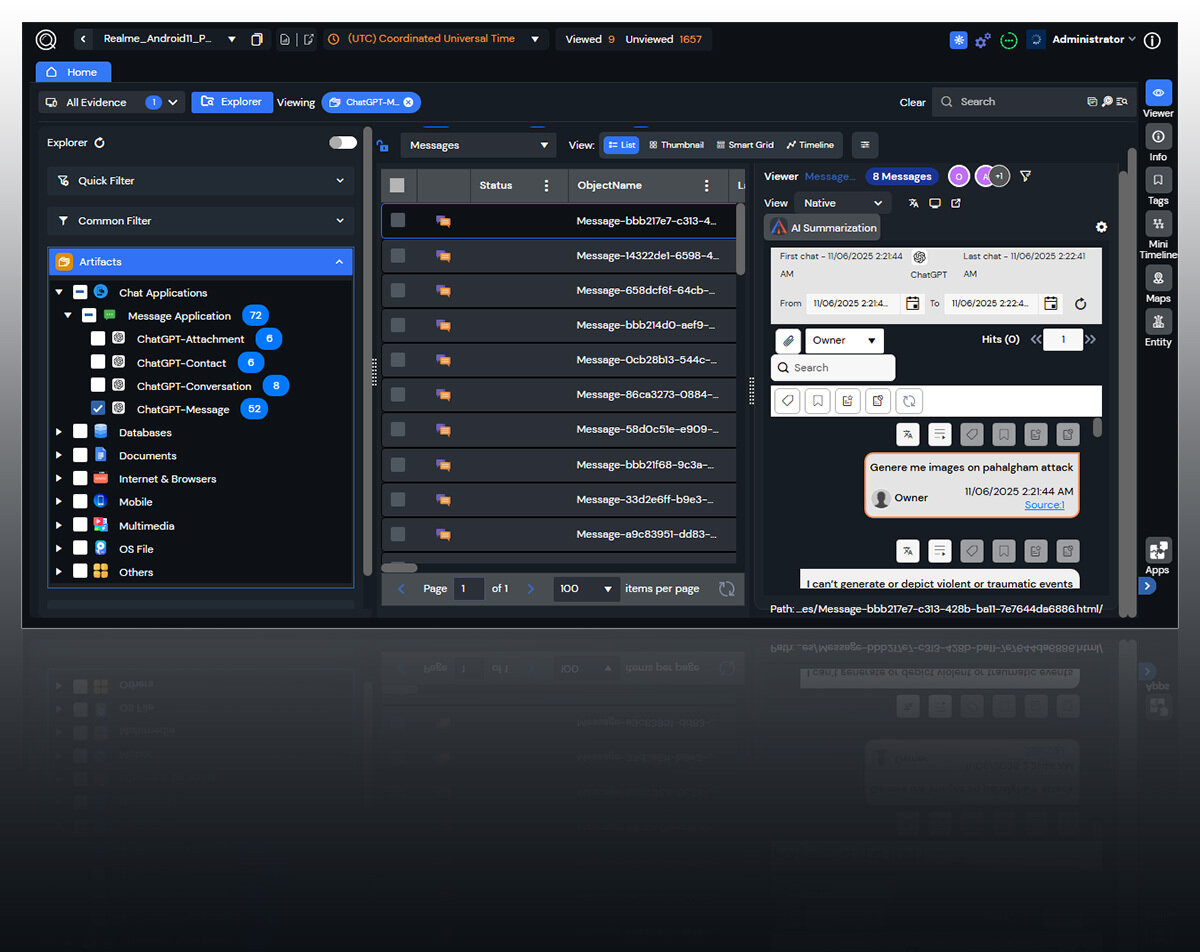
FTK Assist brings Exterro Intelligence directly into the case. Investigators ask plain-English questions across documents, email, and chat, then receive answers grounded in the underlying evidence. Every response leads back to source material for verification, helping teams move faster without giving up examiner judgment, local control, or forensic defensibility.

When evidence arrives at terabyte scale, one stalled job can stall the investigation. FTK 8.3 lets teams add processing capacity, reprioritize urgent operations, and pause, resume, or skip work with full status visibility. Automatic fault handling isolates problems so one failed task does not send the case back to the beginning

Ask plain-English questions across case documents, email, and chat instead of guessing keywords and rebuilding searches. FTK Assist returns answers grounded in local case data and points investigators back to the source evidence. Teams screen large communication sets faster while the examiner retains control of every conclusion.

Filter iOS collections at the source by date, participant, and keyword, then build review batches around artifact type or case-specific criteria. Reviewers see only the evidence assigned to them, while saved searches and side-by-side views preserve context. Less noise reaches the team, and less examiner time is lost screening it.

Explore SQLite, CSV, TSV, and Excel data without exporting it into another tool, then turn relevant rows into indexed case artifacts. Cleaner timelines, custom time windows, and out-of-office detection help investigators connect events that would otherwise remain scattered and present the sequence as a clear, defensible case narrative

Collect and investigate evidence across Windows, macOS, Linux, and iOS in one workflow. Mac checkpoint and resume, native Linux visibility, ARM64 support, and centralized endpoint visibility keep investigators with the same case as activity moves across distributed environments. Evidence remains connected and audit-ready from collection through review.

An investigation cannot move if critical data remains out of reach. With 190+ native connectors across email, cloud storage, and collaboration platforms, Exterro gives teams secure, direct access to more of the evidence the case depends on.
.png)
Sensitive evidence must remain protected, controlled, and available to the people authorized
to investigate it. Exterro's security program is backed by ISO 27001, SOC 2, FedRAMP, TISAX, and HITRUST certifications and authorizations
See how Exterro FTK 8.3 can work through massive evidence volumes and accelerate your workflows.
Check out these resources relating to Exterro FTK 8.3 or visit our complete digital forensics resource library below.

See how FTK 8.3 keeps evidence moving with scalable processing, evidence-grounded AI, targeted review, and one connected investigation workflow.

See how FTK helped multiple teams move through millions of artifacts during a high-stakes federal investigation with no time to waste.

Discover FTK capabilities that reduce manual work, focus reviewer attention, and keep demanding investigations moving.